Coursework · SQA assessment guidance

N5 Computing Science Assignment Guide

A pupil-friendly guide to the 40-mark assignment: what is assessed, how the tasks fit together, what evidence to collect, and the habits that protect marks.

40 marks 6 hours Open book Supervised
40

The assignment is worth 40 marks out of the 120 marks available for the whole course.

6h

You complete it under supervised conditions, usually over several sessions rather than one continuous block.

1+1

Everyone completes Task 1, then completes either the database task or the web task.

Important: this page does not describe any live assignment task. It uses the public specimen assessment task, the course specification, coursework conditions guidance, and course reports to explain how to prepare.

The assignment is practical computing, not just writing about computing.

You are assessed on applying computational thinking to a problem: analysing what is needed, designing a solution, implementing it, testing it, and evaluating what you produced. The exact context changes each year, but the structure below stays familiar.

Mandatory

Task 1 · Software Design & Development

25 marks

Usually asks you to analyse a problem, complete or use a design, write a working program, test it with evidence, and evaluate your code.

Strong preparation: IPO analysis, structure diagrams, pseudocode, input validation with a conditional loop, standard algorithms, readable code, and specific evaluation comments.
Option

Task 2 · Database

15 marks

Usually asks you to analyse a database problem, work with a data dictionary or keys, implement changes, write SQL, test queries, and explain errors or validation.

Option

Task 3 · Web

15 marks

Usually asks you to analyse website requirements, edit HTML and CSS, test the result, explain JavaScript or addressing, and evaluate fitness for purpose.

Marks are awarded positively for clear evidence.

SQA marking instructions use positive marking: you gain marks for relevant skills, knowledge and understanding shown in your evidence. That means the safest strategy is to make every answer easy to mark: clear, complete, labelled, and matched to the question.

1

Analyse

Identify inputs, processes, outputs, end-users, and functional requirements from the scenario.

2

Design

Create or complete a design that could actually be implemented.

3

Implement

Write code, SQL, HTML, or CSS that matches the given problem and design.

4

Test

Show the test data, expected result, actual result, and screenshots or output where requested.

5

Evaluate

Make specific comments about your own solution, not generic comments about all programs or websites.

CommandWhat markers are looking forWeak answer pattern
IdentifyName the item clearly. Keep it precise.Writing a long sentence that never names the required thing.
StateGive a short, correct fact.Adding an extra incorrect option that cancels the correct one.
DescribeGive a developed point, usually with detail from the context.Giving a memorised definition with no link to the scenario.
ExplainMake the reason or impact clear. Use "because" thinking.Repeating what happens without saying why it matters.
EvaluateJudge your own solution using specific evidence from it."My code is efficient and readable" without referring to actual code features.
Examiner pattern: course reports repeatedly warn that vague "describe", "explain" and "evaluate" answers lose marks. Use technical language, then connect it to the task context.

If the marker cannot see it, they cannot award it.

The specimen task includes an evidence checklist, and the coursework instructions stress that code and screenshots must be clear and legible. Build the habit of saving and labelling evidence as you go.

Evidence typeWhat good evidence looks likeBefore handing in
Written answersTyped or written in blue/black pen; answers match the command word.Check every sub-question has a response.
Program codeComplete printout or pasted code, readable indentation, no tiny screenshots.Label with the task number.
Test runsInputs and outputs visible together, especially for boundary and exceptional tests.Make sure the evidence shows the result, not just the code.
SQL evidenceSQL statement and output/table change both visible where requested.Do not rely on design view if SQL code is required.
Web evidenceEdited HTML/CSS code and browser result where requested.Check file names and links still work.
EvaluationSpecific references to your own code, database, or website.Replace generic claims with evidence-based comments.
Practical warning: evidence does not need to be printed in colour, but it does need to be readable. If a screenshot makes code blurry, paste the code as text instead.

Use these examples to notice what markers can actually award.

The screenshots below come from public SQA Understanding Standards assignment evidence. They are not model answers. They are useful because the commentary explains where marks were gained, where they were missed, and why the evidence mattered.

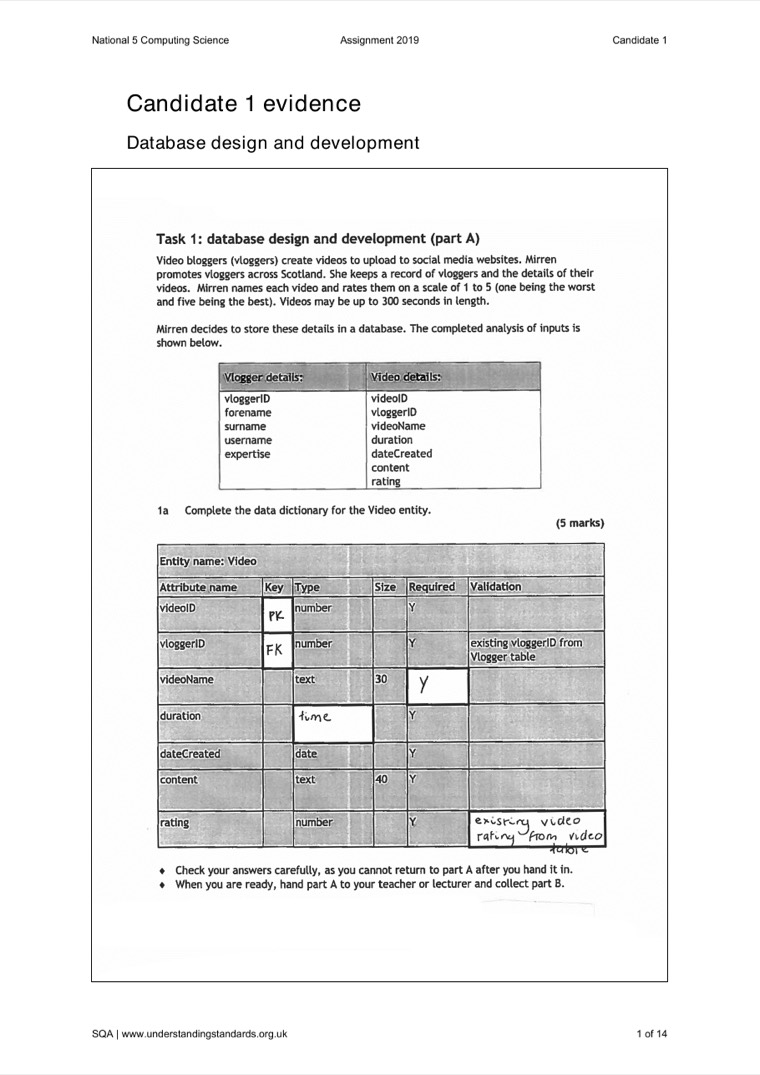
Understanding Standards screenshot showing a candidate data dictionary response
Database · Data dictionary

Small data-type and validation choices matter.

The candidate gained marks for identifying the primary key, foreign key and required field, but missed marks where the type/validation did not match the scenario closely enough.

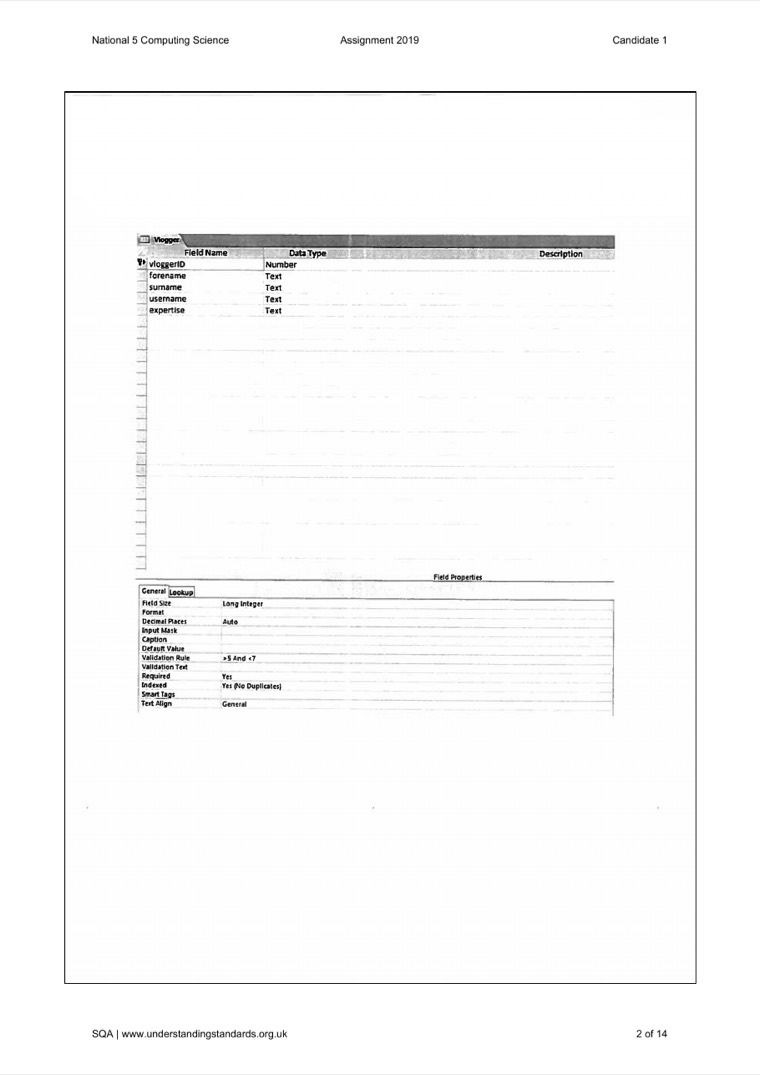
Understanding Standards screenshot showing faint printed database evidence
Evidence · Legibility

A screenshot is only useful if it is readable.

This page is a good warning: database evidence can become very faint when pasted or printed. The marker needs to see the field, rule, code, or output being claimed.

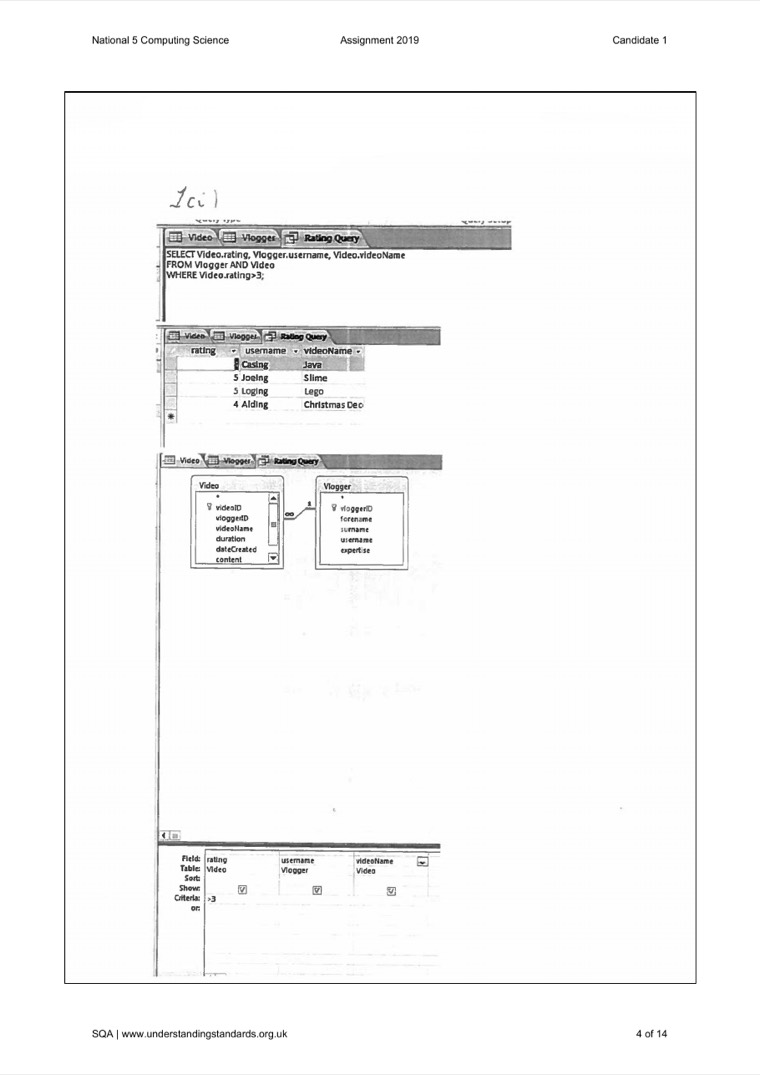
Understanding Standards screenshot showing a candidate SQL query and output evidence
Database · SQL

Correct-looking output does not fix incorrect SQL.

The commentary notes that output evidence may look right, but the mark was for writing the required SQL statement. Extra selected fields, syntax errors, or missing join conditions can still lose marks.

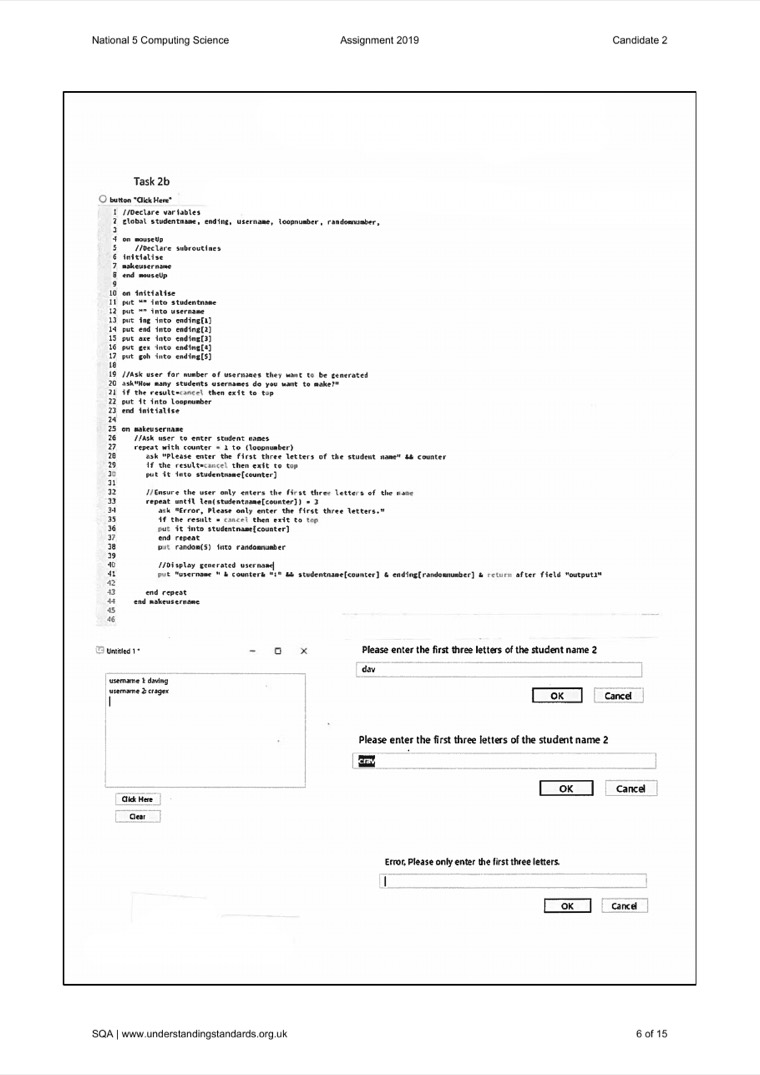
Understanding Standards screenshot showing candidate program code and test run output
Software · Code and output

Implementation marks are awarded feature by feature.

This candidate gained marks for input, looping, validation and output evidence. The commentary also shows that missing a required design detail can still cost a mark even when much of the program works.

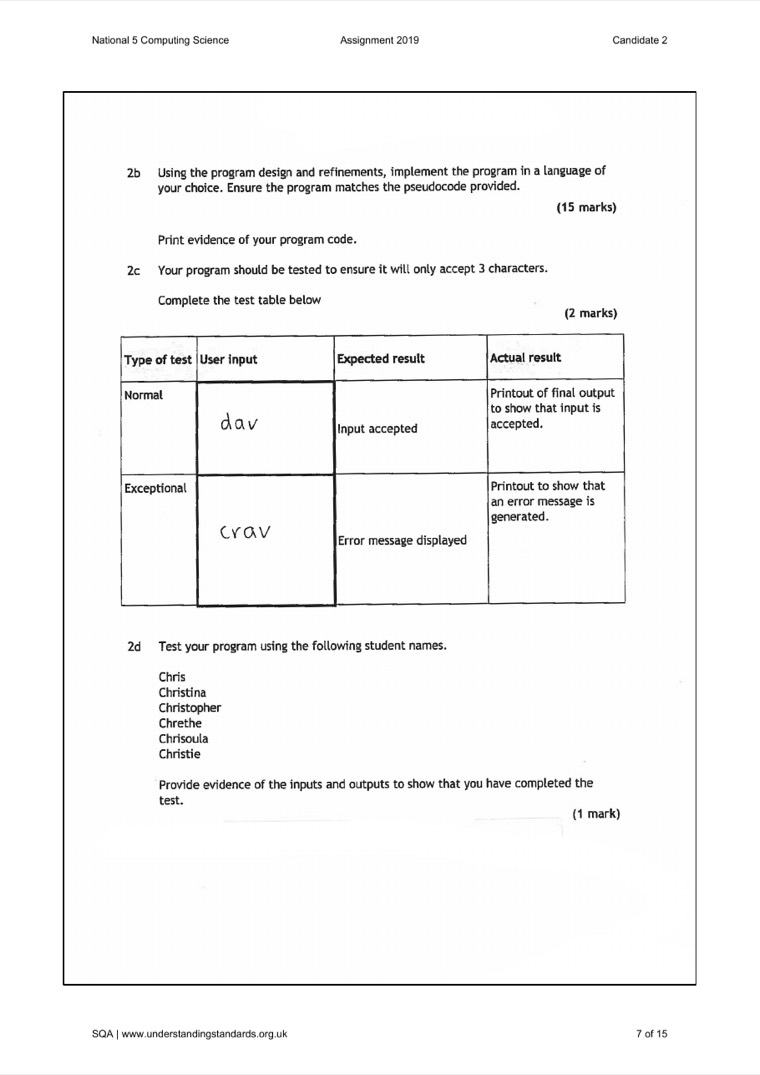
Understanding Standards screenshot showing a completed candidate test table
Software · Test table

A test table is different from a test run screenshot.

The commentary distinguishes planned test data from printed output. A test table should show suitable inputs and expected results; a later screenshot can prove the program actually ran.

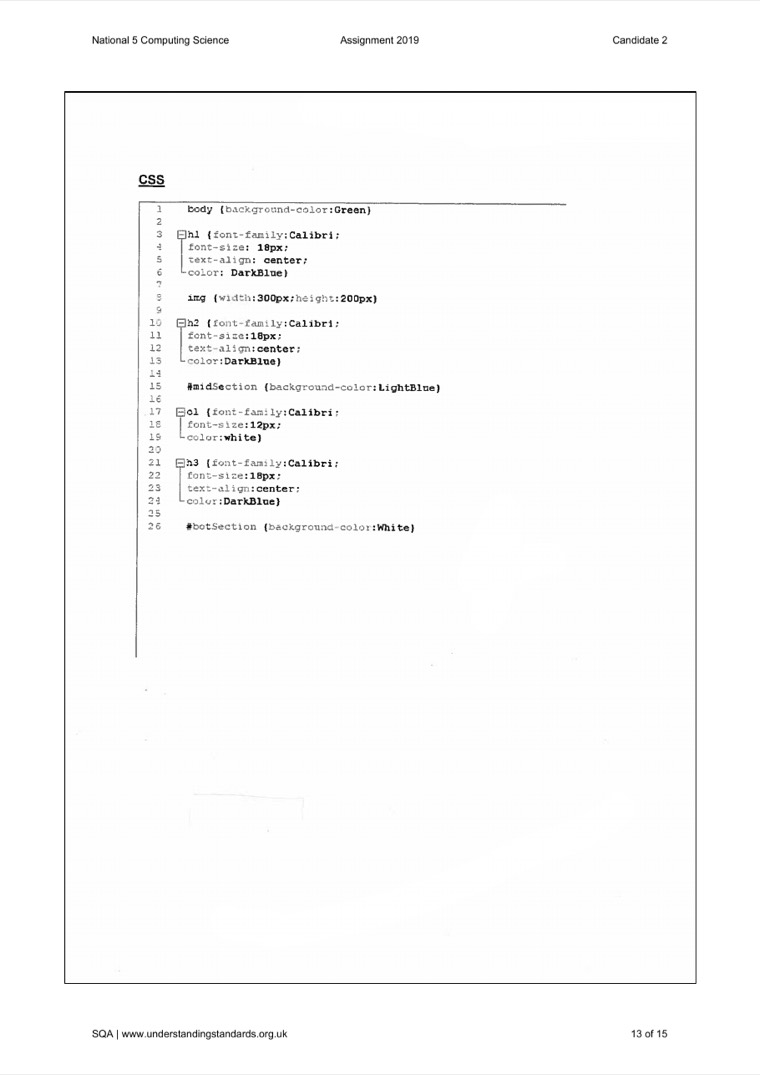
Understanding Standards screenshot showing candidate CSS code evidence
Web · CSS

CSS marks depend on complete, correct rules.

The web commentary shows that marks are checked against specific requirements such as selectors, sizing, colours, font rules and whether CSS has been included where the task asks for it.

How to use these: cover the feedback first and decide what mark-risk you can spot in the screenshot. Then reveal the feedback and compare your judgement with the marker commentary.

Open book helps prepared pupils most.

You may access permitted resources such as class notes, textbooks, programming manuals, and programs you wrote during the course. Open book does not mean you can ask someone how to solve the live task, use email or mobile phones, work with another pupil, or access assignment files outside the supervised classroom environment.

Build a useful notes bank

  • Keep one page for common SDD patterns: input validation loops, counting, totals, min/max, linear search, string handling.
  • Keep one page for SQL patterns: SELECT, WHERE, ORDER BY, JOIN, INSERT, UPDATE, DELETE.
  • Keep one page for HTML/CSS patterns: headings, images, links, divisions, selectors, colours, font sizes, and layout rules.

Avoid these open-book traps

  • !Do not copy a memorised answer if it does not fit the scenario.
  • !Do not bring in a task-specific model solution or writing frame.
  • !Do not spend so long searching notes that you stop solving the problem in front of you.

These are the mark-loss patterns to actively practise against.

Software task

In 2025, many candidates did well on working code, but lost marks on expected output, validation design, and evaluation.

  • Use a conditional loop for input validation when the task requires repeated checking.
  • Make test evidence match the exact expected messages, labels, and outputs in the design.
  • When evaluating readability, refer to visible features such as meaningful variable names, indentation, comments, and white space.

Database or web option

Recent reports highlight weak functional requirements, incomplete CSS rules, and difficulty with some SQL update statements.

  • Functional requirements describe what the system must do, not just what the end-user wants.
  • For SQL updates, include the correct table, all required fields, new values, and a precise WHERE clause.
  • For CSS, check the whole rule: selector, braces, property, colon, value, semicolon, and every property requested.
Best preparation routine: practise one full mini-cycle at a time. Analyse a small scenario, design it, implement it, test it, then write one specific evaluation comment. That cycle is the assignment in miniature.

Documents used to build this guide

Course specification

Used for the official assignment structure, marks, timing, open-book conditions, and the skill areas assessed.

Open local PDF

Specimen assignment assessment task

Used for task sequencing, candidate instructions, evidence expectations, and marking principles.

Open local PDF

2025 N5 course report

Used for recent candidate performance patterns and advice for future assessment preparation.

Open official PDF

Coursework conditions guidance

Used for open-book, supervision, reasonable assistance, plagiarism, collusion, and malpractice guidance.

Open local PDF

Understanding Standards assignment examples

Used for the candidate-response screenshots and marker-feedback summaries in the marked examples section.

Open official page